Building a digital product is one of the most important — and expensive — decisions a startup will ever make. Software development for startups is not just about writing code; it’s about making smart choices with limited resources, tight timelines, and high expectations. According to AgileEngine, MVPs and prototypes typically cost between $24,000 and $60,000, though more complex builds can exceed $200,000. It means understanding how the process works before you spend a single dollar is critical. This guide breaks down everything you need to know: what it costs, how the development process works, and the best practices that give startups the best shot at success.
Why Software Development for Startups Is Different
Startups don’t operate like enterprises. You’re working with tighter budgets, smaller teams, and a need to move fast. Every dollar and every week counts when you’re trying to validate an idea and get to market.
Unlike established businesses, startups often need to pivot quickly based on user feedback. This makes flexibility a core requirement — not a nice-to-have. Your software needs to evolve with your business, not hold it back.
The goal for most startups is not to build a perfect product on day one. It’s to build the right product as quickly and affordably as possible, then improve it based on real data.
How Much Does Startup Software Development Actually Cost?
Cost is the question every founder asks first. The answer depends on several variables.
Complexity and features: A simple internal tool costs far less than a multi-sided marketplace or an AI-driven platform. The more complex the logic, the higher the cost.
Development model: Your choice of team structure, whether in-house, an agency, or offshore, has the single biggest impact on your budget. Hourly rates vary significantly across regions and engagement models, so it pays to evaluate your options carefully before committing.
Timeline: Rushed projects cost more. Giving your team realistic timelines helps prevent costly mistakes and reduces the chances of technical debt piling up.
Technology stack: Some technologies require specialized developers who charge premium rates. Choosing the right stack early can save money later.
Realistic Cost Ranges for Startups
For startups building an MVP, development costs typically range from $30,000 to $150,000, depending on scope, features, and the team you work with. More feature-rich products with third-party integrations and custom design can push that figure higher.
Very simple tools or single-feature apps may come in lower, but these are exceptions, not the norm for most startup use cases.
Plan carefully. According to AgileEngine, most IT projects go over budget by around 75% and take about 50% longer than expected. So, adding a buffer is just smart planning.
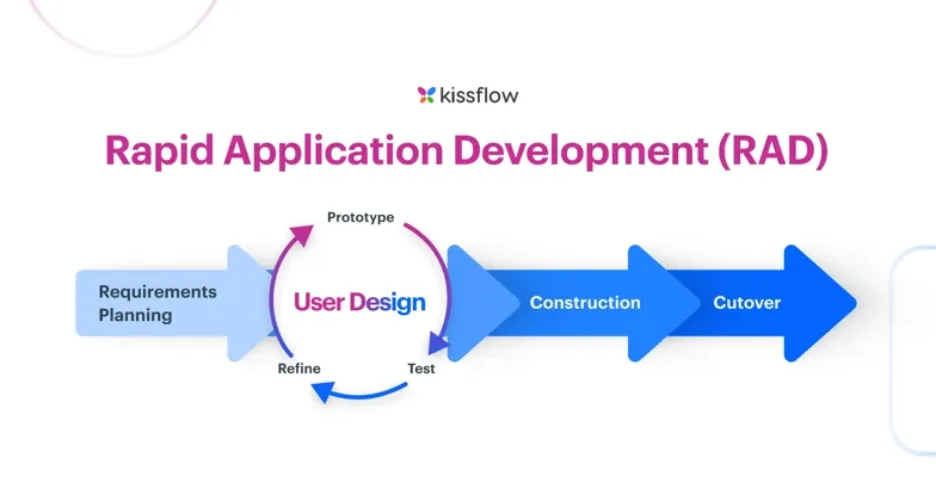
The Software Development Process: Step by Step
Understanding the development process helps you manage expectations and stay in control of your investment.
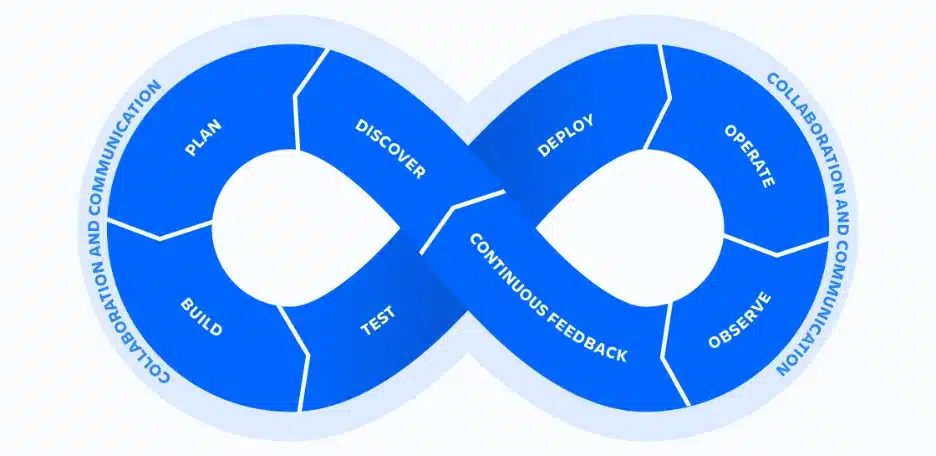
Step 1: Discovery and Planning
This is where you define what you’re actually building. You identify your target users, core features, technical requirements, and constraints. Skipping this step is one of the most common and costly mistakes startups make.
A good software consulting company will help you structure this phase properly. They’ll challenge your assumptions, identify risks early, and help you prioritize features that matter most to your users.
Step 2: Design and Prototyping
Before writing a single line of code, your product should be visualized. UX and UI design translate your ideas into clickable prototypes that can be tested with real users. Good design reduces development rework dramatically.
Wireframes and mockups are cheap to change. Code is not. Investing in design upfront is one of the highest-ROI decisions a startup can make.
Step 3: Development and Engineering
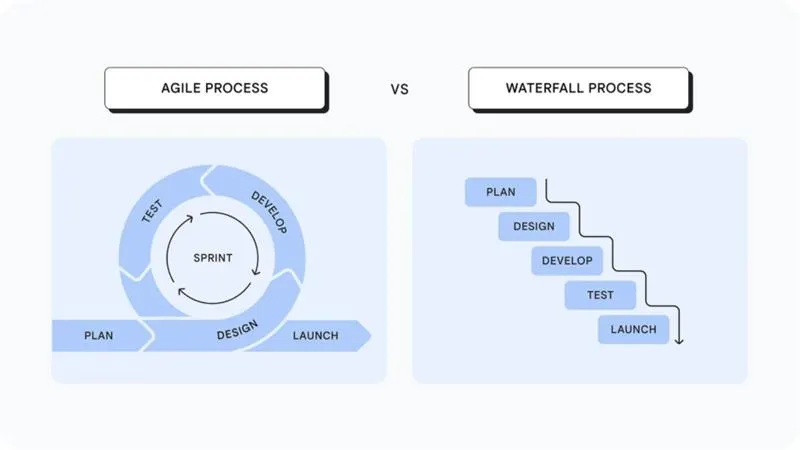
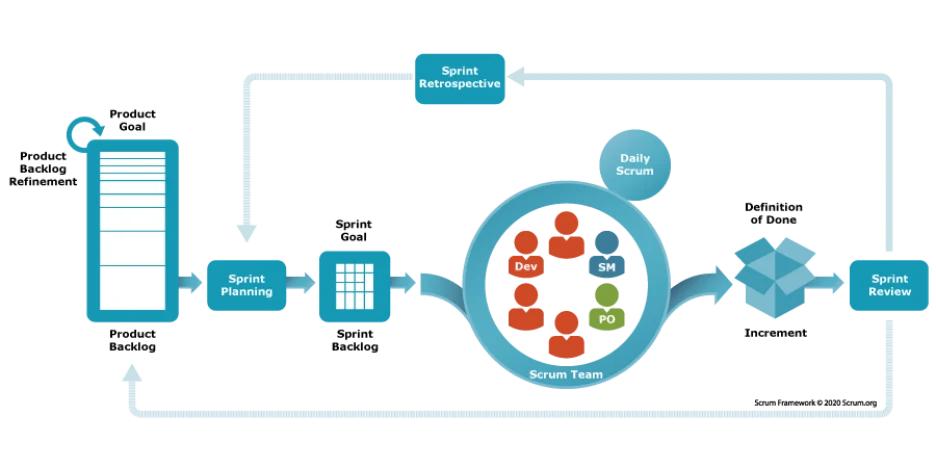
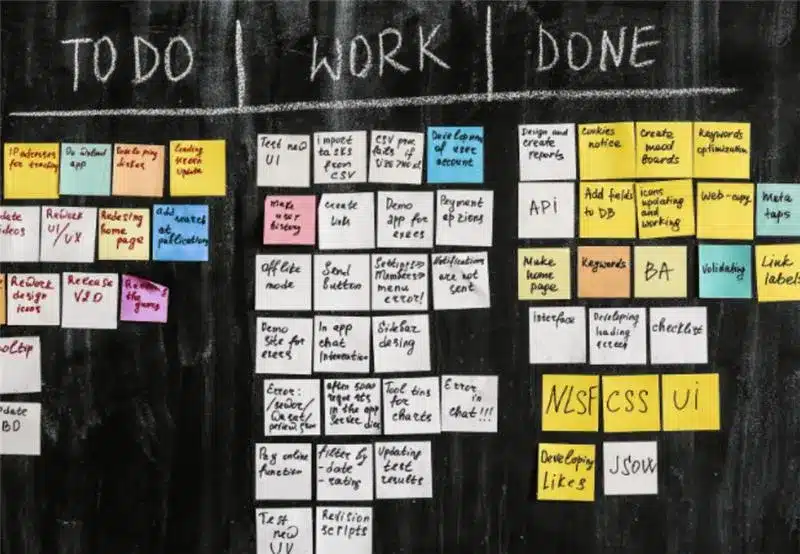
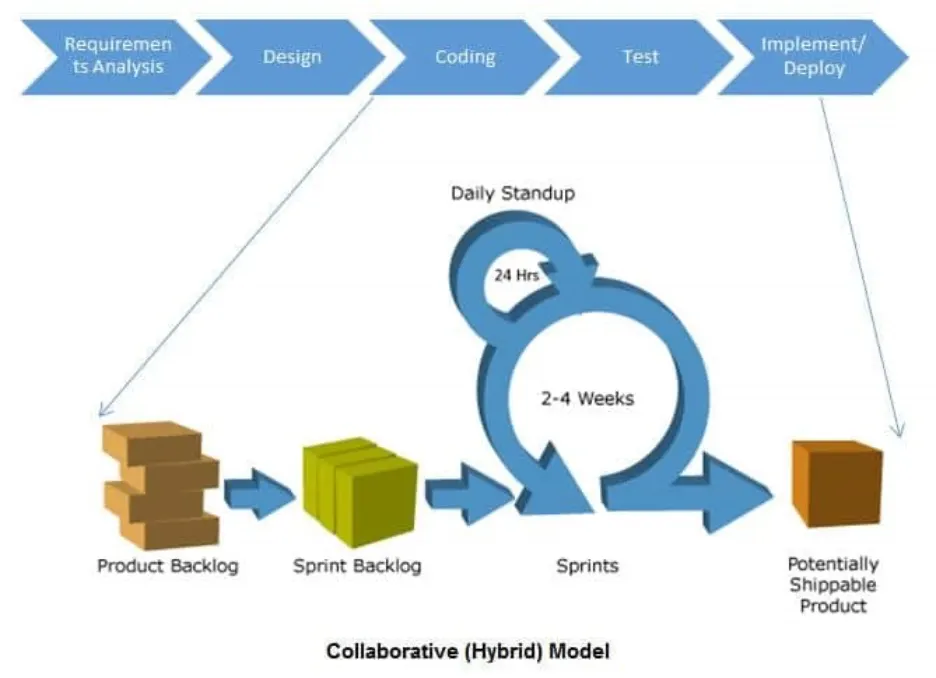
This is where your product is actually built. Developers work in short cycles, typically two-week sprints in Agile methodologies, delivering testable features step by step. You should review progress regularly instead of waiting months to see results.
When you hire software developer talent, look for people who communicate clearly, not just those with the most impressive tech backgrounds. A developer who keeps you informed is more valuable than one who goes silent for weeks.
Step 4: Testing and Quality Assurance
Testing is not optional. It helps you catch problems before your users do. QA engineers check functionality, performance, security, and compatibility across different devices and platforms.
Budget for testing from the start. Bugs discovered in production cost significantly more to fix than bugs caught during development.
Step 5: Launch and Post-Launch Support
Launching is just the beginning. After going live, your team needs to monitor performance, fix bugs, and respond to user feedback. Software is never truly finished, it keeps evolving over time.
Plan for ongoing maintenance costs, which typically run 15–20% of the original development cost per year.
Build vs. Buy: A Critical Decision for Startups
Before committing to custom development, every startup should ask: do we actually need to build this from scratch?
The build vs buy software decision is more nuanced than most founders realize. Off-the-shelf software or SaaS tools can solve many common problems like CRM, billing, analytics, and communication at a much lower cost than custom development.
Build custom software only when your core competitive advantage depends on it. If you’re building something that needs to be unique to your market or deeply differentiated, custom is justified. For everything else, buy and integrate.
This approach lets your development budget go further and keeps your team focused on what makes you different.
Best Practices for Software Development for Startups
These are the principles that separate successful startup builds from expensive failures.
Start With an MVP
An MVP (Minimum Viable Product) is a stripped-down version of your product that includes only the features needed to solve the core problem. It lets you validate your idea with real users before investing in a full-scale build.
Launch fast and learn quickly. An MVP delivered in 8 weeks is often better than a polished product that takes 18 months, especially when market conditions change.
Choose the Right Development Partner
Not all development teams are built for startup environments. You need a partner who understands fast iteration, limited budgets, and the uncertainty of early-stage product development.
Partnering with a team that offers software development services built specifically for growth-stage companies can dramatically reduce your time to market and reduce costly mistakes.
Use Agile, Not Waterfall
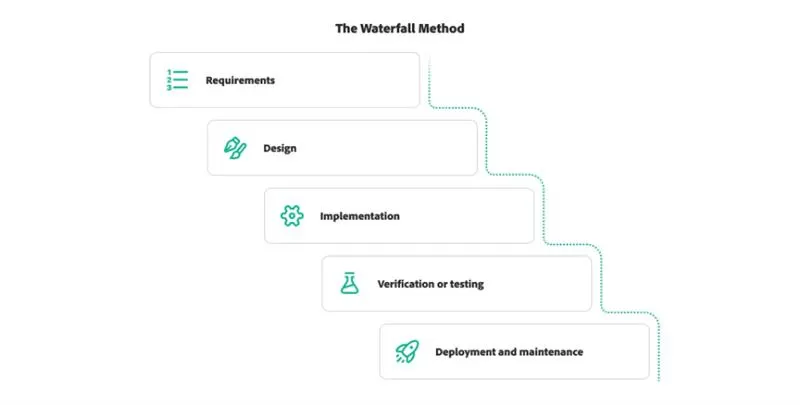
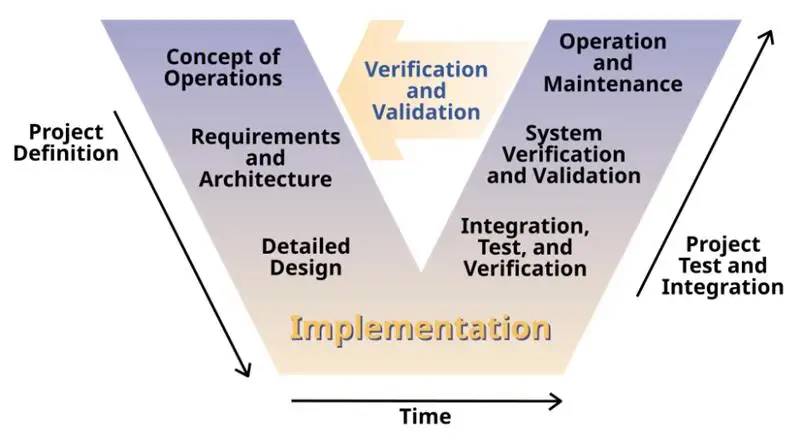
Waterfall development, where everything is planned upfront and built in one long cycle, is not ideal for startups. Agile development breaks work into short sprints with regular check-ins and adjustments.
Agile lets you respond to user feedback quickly. It also gives you visibility into progress so surprises don’t derail your budget or timeline.
Prioritize Scalability From Day One
Building quickly and keeping costs low is smart, but creating something that can’t scale is risky. Poorly designed systems often need expensive rewrites when user growth increases.
Work with engineers who understand how to build for scale without over-engineering the product at the start. It’s a balance, but it’s one worth getting right.
Protect Your Intellectual Property
Make sure all contracts with developers or agencies clearly assign IP ownership to your company. This applies whether you’re working with freelancers, agencies, or offshore teams. Unclear IP rights can become a serious legal and fundraising problem down the road.
Conclusion
Software development for startups doesn’t have to be overwhelming. With a clear process, realistic budgets, and the right partners, it becomes a manageable and exciting part of building your business.
Start with discovery. Build lean. Test early. Always treat your software as an evolving asset, not a one-time project. The startups that succeed are not the ones that build the most, but the ones that build the right things at the right time.
Whether you’re just starting out or scaling your first product, understanding these fundamentals puts you miles ahead of the competition.